Video content has become one of the most powerful tools for businesses, content creators, YouTubers, and brands. Whether you are creating social media reels, YouTube videos, advertisements, corporate videos, or cinematic films, choosing the right video editing software is essential for achieving professional-quality results.
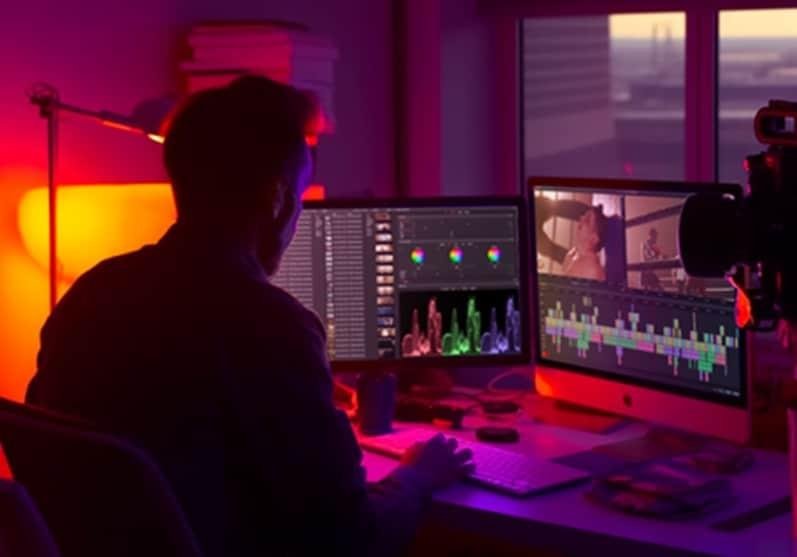
The question most people ask is:
“Which is the best video editing software?”
The answer depends on your experience level, budget, and editing requirements. In this guide, we will explore the top video editing software available today and help you decide which one is best for your projects.
Why Choosing the Right Video Editing Software Matters
A good video editor can help you:
- Create professional-looking videos
- Save editing time
- Add cinematic effects and transitions
- Improve video quality
- Create engaging social media content
- Increase audience retention
- Build a stronger brand presence
The right software can transform ordinary footage into compelling visual stories.
1. Adobe Premiere Pro – Best Overall Video Editing Software
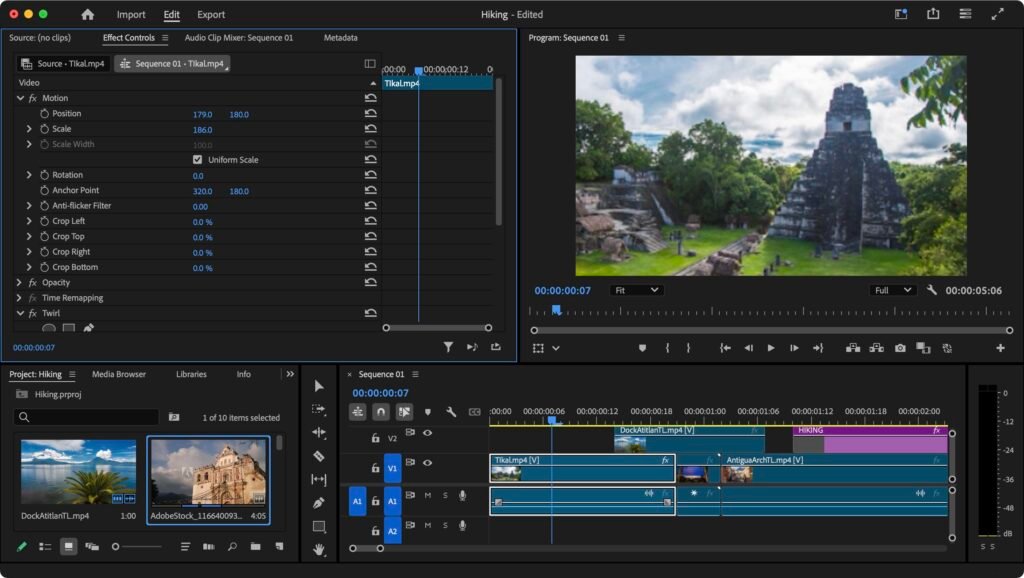
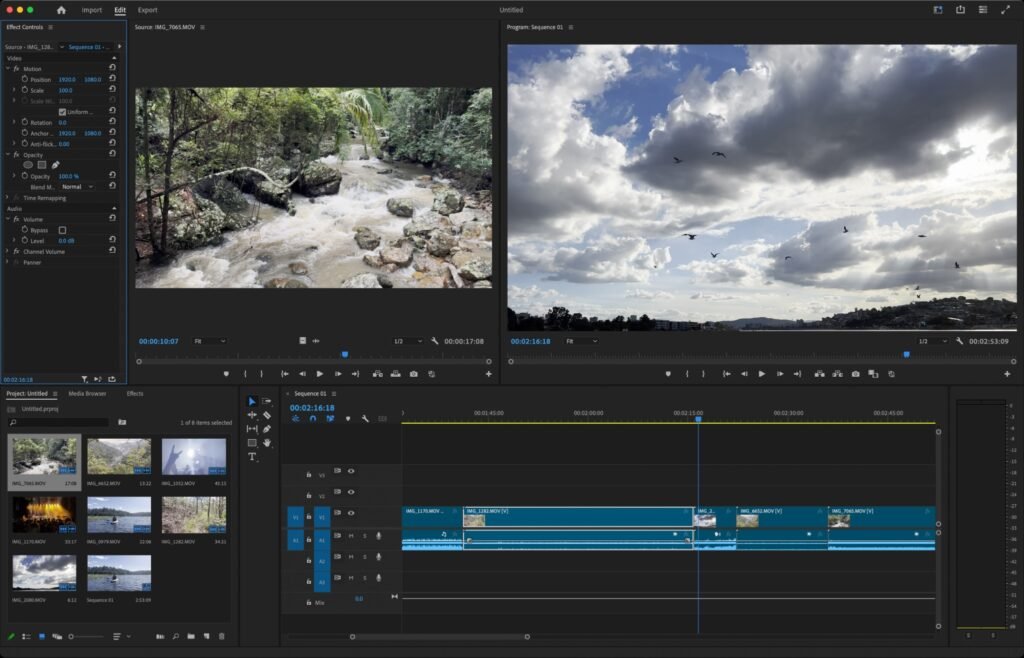
Adobe Premiere Pro is considered one of the most powerful and widely used video editing tools in the industry.
Key Features
- Professional timeline editing
- Multi-camera editing
- Advanced color grading
- AI-powered editing tools
- Motion graphics integration
- Seamless workflow with After Effects and Photoshop
- Support for 4K, 8K, and HDR videos
Best For
- Professional video editors
- YouTubers
- Agencies
- Marketing teams
- Filmmakers
Pros
✔ Industry-standard software
✔ Powerful editing capabilities
✔ Regular updates and AI features
✔ Excellent plugin support
Cons
✖ Monthly subscription required
✖ Learning curve for beginners
2. DaVinci Resolve – Best Free Professional Video Editing Software
DaVinci Resolve has gained immense popularity due to its professional-grade features available in a free version.
Key Features
- Professional color correction
- Advanced video editing
- Motion graphics
- Visual effects
- Audio post-production tools
Best For
- Freelancers
- Professional editors
- Filmmakers
- Content creators
Pros
✔ Powerful free version
✔ Industry-leading color grading
✔ All-in-one production suite
Cons
✖ Requires a powerful computer
✖ Can be overwhelming for beginners
3. Final Cut Pro – Best for Mac Users
Final Cut Pro is a premium editing solution designed exclusively for Apple users.
Key Features
- Magnetic timeline
- Fast rendering
- Advanced color grading
- 360-degree video editing
- Optimized for Apple Silicon
Best For
- Mac users
- Professional creators
- YouTubers
Pros
✔ Extremely fast performance
✔ One-time purchase
✔ User-friendly interface
Cons
✖ Available only on Mac
4. Adobe After Effects – Best for Motion Graphics & VFX
Adobe After Effects is not a traditional video editor but is widely used for creating animations, visual effects, and motion graphics.
Key Features
- Motion graphics
- VFX creation
- Text animation
- Green screen compositing
- Advanced visual effects
Best For
- Motion designers
- VFX artists
- Advertisements
- Explainer videos
Pros
✔ Professional-level effects
✔ Industry standard for animation
Cons
✖ Not ideal for complete video editing workflows
5. CapCut – Best Video Editing Software for Social Media
CapCut has become one of the most popular editing tools among creators producing short-form content.
Key Features
- Easy-to-use interface
- Trending templates
- Auto captions
- AI editing tools
- Mobile and desktop support
Best For
- Instagram creators
- TikTok creators
- Short-form video editing
- Beginners
Pros
✔ Beginner-friendly
✔ Fast editing workflow
✔ Free features available
Cons
✖ Limited advanced editing tools compared to professional software
Comparison Table
| Software | Best For | Skill Level | Pricing |
|---|---|---|---|
| Adobe Premiere Pro | Professional Editing | Intermediate–Advanced | Subscription |
| DaVinci Resolve | Professional Free Editing | Intermediate–Advanced | Free & Paid |
| Final Cut Pro | Mac Users | Intermediate | One-Time Purchase |
| Adobe After Effects | Motion Graphics & VFX | Advanced | Subscription |
| CapCut | Social Media Content | Beginner | Free & Paid |
Which Video Editing Software Should You Choose?
If You Are a Beginner
Choose CapCut because it is easy to learn and perfect for social media content creation.
If You Want Professional Results
Choose Adobe Premiere Pro for its industry-standard workflow and extensive editing capabilities.
If You Need a Free Professional Tool
Choose DaVinci Resolve because it offers advanced editing and color grading without requiring a subscription.
If You Use Mac
Choose Final Cut Pro for excellent performance and a smooth editing experience.
If You Create Motion Graphics
Choose Adobe After Effects for professional animations and visual effects.
Our Recommendation
For most creators, businesses, and agencies, Adobe Premiere Pro remains the best overall video editing software because of its powerful features, flexibility, and professional workflow.
However, if budget is a concern, DaVinci Resolve provides exceptional value and professional-grade editing tools completely free.
Need Professional Video Editing Services?
Creating high-quality videos requires more than just software. It requires creativity, storytelling, color grading, sound design, and professional editing techniques.
If you’re looking to enhance your brand with cinematic videos, social media content, promotional videos, or motion graphics, our team provides expert video editing services, motion graphics solutions, and creative media production tailored to your business needs.
Explore our professional video editing services, motion graphics services, and creative media solutions to transform your raw footage into engaging visual content.

FAQ SECTION
For beginners, CapCut is one of the best options because it offers an easy-to-use interface, ready-made templates, AI tools, and a quick learning curve. It is ideal for creating social media videos, reels, and short-form content.
Adobe Premiere Pro is widely considered the industry standard for professional video editing. It is used by content creators, marketing agencies, production houses, and filmmakers worldwide.
Yes, DaVinci Resolve offers a powerful free version that includes professional editing, color grading, visual effects, and audio tools. A paid Studio version is also available with advanced features.
Both Adobe Premiere Pro and DaVinci Resolve are excellent choices for YouTube creators. They provide advanced editing features, transitions, color correction, and export settings optimized for YouTube.
Most professional editors use Adobe Premiere Pro, DaVinci Resolve, Final Cut Pro, and Adobe After Effects depending on the project requirements and workflow.
CapCut is one of the most popular choices for creating Instagram Reels, YouTube Shorts, Facebook Videos, and TikTok content due to its simple editing tools and trending templates.
Both are excellent tools. Final Cut Pro is optimized for Mac users and offers faster performance, while Adobe Premiere Pro provides greater flexibility, cross-platform support, and integration with other Adobe applications.